What's included
Frequently bought together

Overview
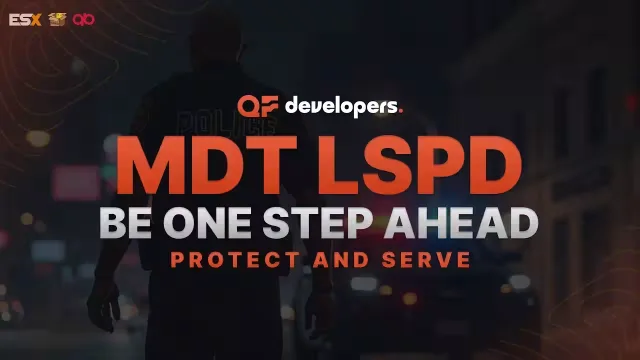
FiveM Police Dispatch
A full police dispatch job that ships ready for ESX and QBCore out of the box. Officers run alerts from a switchboard, track units on a live server map, talk on private radios, and draw tactics straight onto the GTA map.
Alerts switchboard
- Read the code, the type and the alert category, with the units already attending shown next to it.
- See a road image when a vehicle gets stolen.
- Assign an alert straight to a unit or radio frequency from the board.
- Mark that you are responding so your colleagues see it on the alert itself.
Map panel
- A real-time map of your server showing every alert and every officer on duty.
- Open detailed information on any alert.
- Build units and assign colleagues to them to keep the squad organized.
- Study how criminals operate on a stats page with heat maps and more.
- Change how your map blip behaves.
Radio system
- Private radios for each unit, a global radio and TAC channels.
- Transmit to everyone in your job or to specific frequencies without switching your own frequency.
- Jump into a TAC channel when you need privacy and drop out of the global radio.
- Runs on pma-voice using the pma resource from our GitHub: https://github.com/rcore-cz/pma-voice
Draw system
- Paint your plans onto the map and watch them appear on the officers' GTA map.
- Save draws to reuse them later.
- Create custom draws per unit.
Specifications
Frequently asked
How is Police Dispatch & Live Map delivered?
Instantly by email after checkout - a download link lands in your inbox the moment payment clears. No manual approval, no waiting on a ticket.
Is it compatible with esx, qbcore, qbox?
Police Dispatch & Live Map is built for esx, qbcore, qbox. Check the specifications below for the exact dependency list.
Do I get future updates?
Yes. Updates are included at no extra cost. New versions appear in the same download area you were originally emailed.
Will this conflict with my existing map?
Police Dispatch & Live Map installs as its own resource folder, so it sits alongside your current map stack rather than overwriting it. Check the readme for placement notes.