What's included
Overview
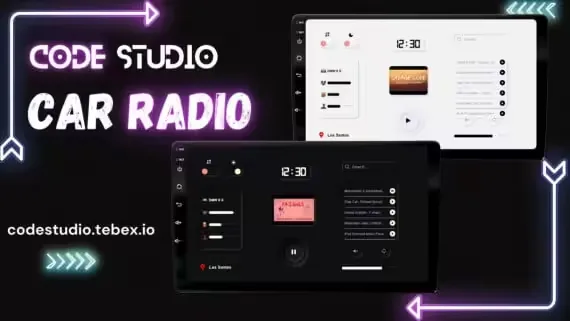
Car Radio with Control UI
A fully standalone car radio, completely server synced, so everyone in and around the vehicle hears the same track at the same moment. No framework dependencies, no database.
Playback
The script runs on xsound and can play any music you feed it. Players control the track directly from the UI: Pause, Play, Volume, Mute and Loop. You decide how far the sound carries outside the vehicle, or restrict playback so it only plays inside the car. Newly added songs go into a recently played list, and a small music overlay shows what is currently on.
UI
Modern interface, responsive on all screen resolutions, shipped in both a dark and a light theme. Opening the UI can be configured from 3 different modes, and passengers can be given radio access via the config. You can also toggle it from your own resources:
TriggerEvent("cs:carRadio:openUI", true)Performance
- 0.00ms in a quiet state
- 0.00ms in an active state
- No database required, music data is stored locally for excellent optimization
- No lag at higher speeds
- Music stops if the vehicle gets deleted
Config
- Whitelist or blacklist vehicles
- Passenger access toggle
- Language editor included
- Plenty more options in the config file
Specifications
Add this line to your server.cfg once the download is uploaded to resources/ (replace the folder name if yours differs):
ensure standalone-car-radio-script
Frequently asked
How is Synced Car Radio with Control UI delivered?
Instantly by email after checkout - a download link lands in your inbox the moment payment clears. No manual approval, no waiting on a ticket.
Is it compatible with esx, qbcore, qbox?
Synced Car Radio with Control UI is built for esx, qbcore, qbox. Check the specifications below for the exact dependency list.
Do I get future updates?
Yes. Updates are included at no extra cost. New versions appear in the same download area you were originally emailed.
Can I customize the config?
Most behaviour is exposed as config options inside the resource - prices, permissions, locations and pacing can be tuned without touching the core files.