What's included
Frequently bought together

Overview
WAIS HUD V6
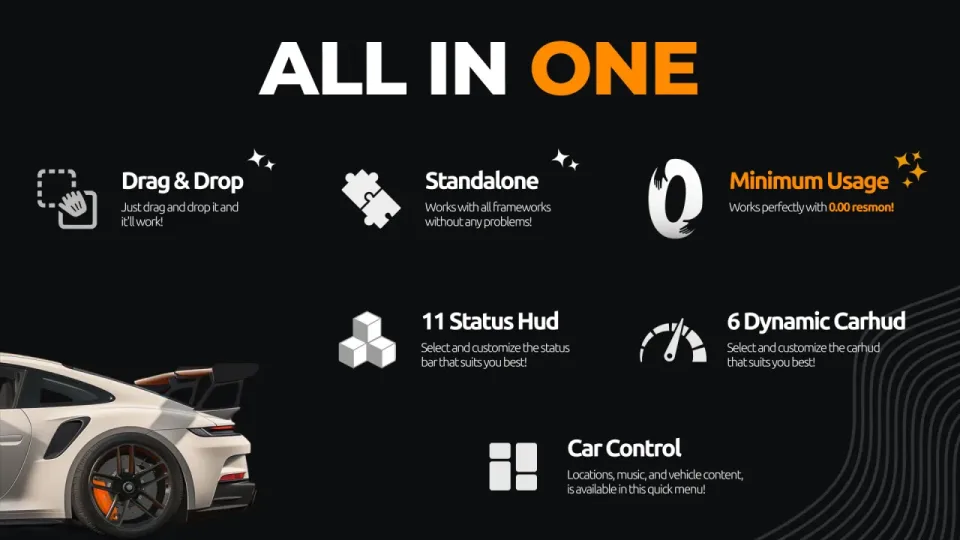
Everything a player HUD needs in one resource: 11 status bar styles, 6 animated vehicle HUDs, right-corner info panels, and a built-in car control menu, all at near-zero resource usage.
Performance You Can Measure
WAIS HUD V6 sits at 0.00ms resmon outside vehicles and 0.01ms while driving, so your server stays smooth no matter how many players are online.
Standalone, Drag and Drop
No framework dependencies, no complicated setup. Drop it into your resources folder and it works out of the box on QBCore, ESX, or any other framework.
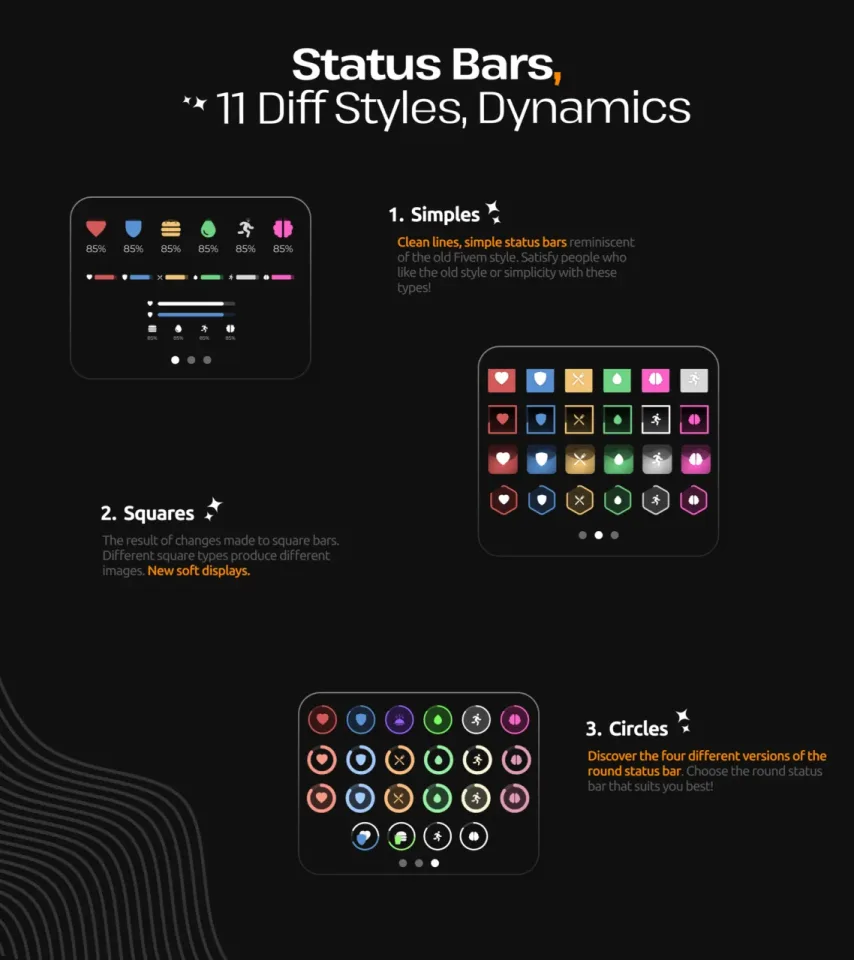
11 Status Bar Styles
Three design categories, each with multiple variations:
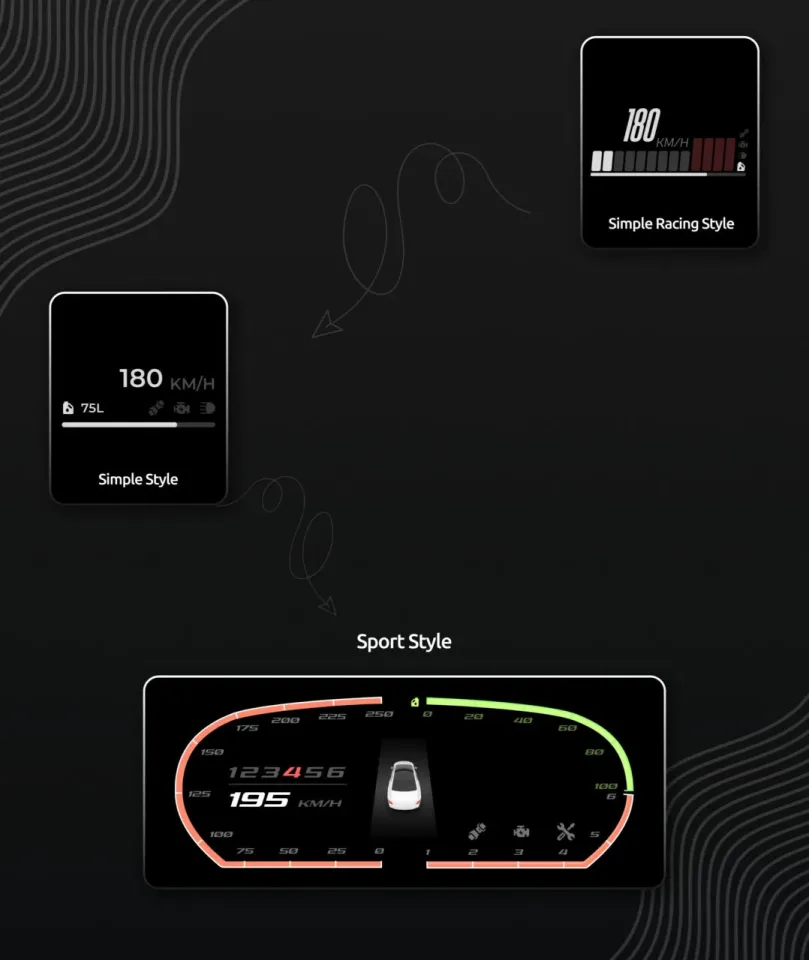
- Simple: clean lines and minimal layouts inspired by classic FiveM HUDs, for players who want a straightforward old-school look.
- Square: modern square-based bars with soft display styling and multiple geometric variations.
- Circle: four circular status bar designs, so you can pick the round HUD that fits your server's aesthetic.
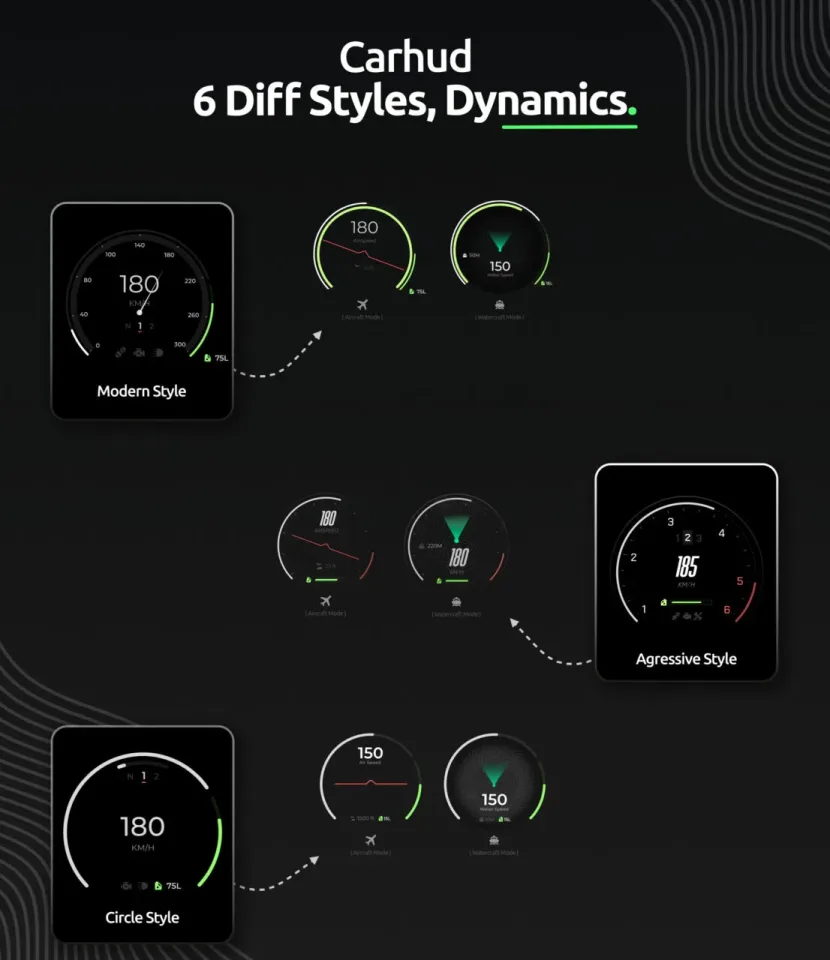
6 Dynamic Vehicle HUDs
Fully animated speedometers with dedicated displays for cars, boats, and aircraft. The vehicle HUD adapts to whatever you're driving.
4 Right-Corner Info Panels
Show cash, bank balance, job title, gang affiliation, and more in a compact corner widget.
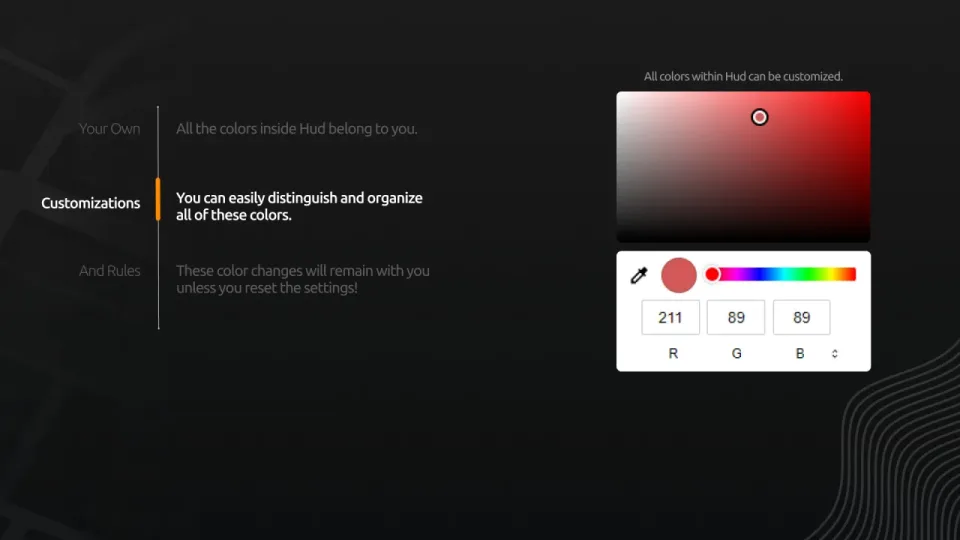
Full Color Customization
Every color in the HUD is yours to change. Adjust status bars, vehicle HUD elements, and UI accents individually. Your settings persist across sessions until you reset them.
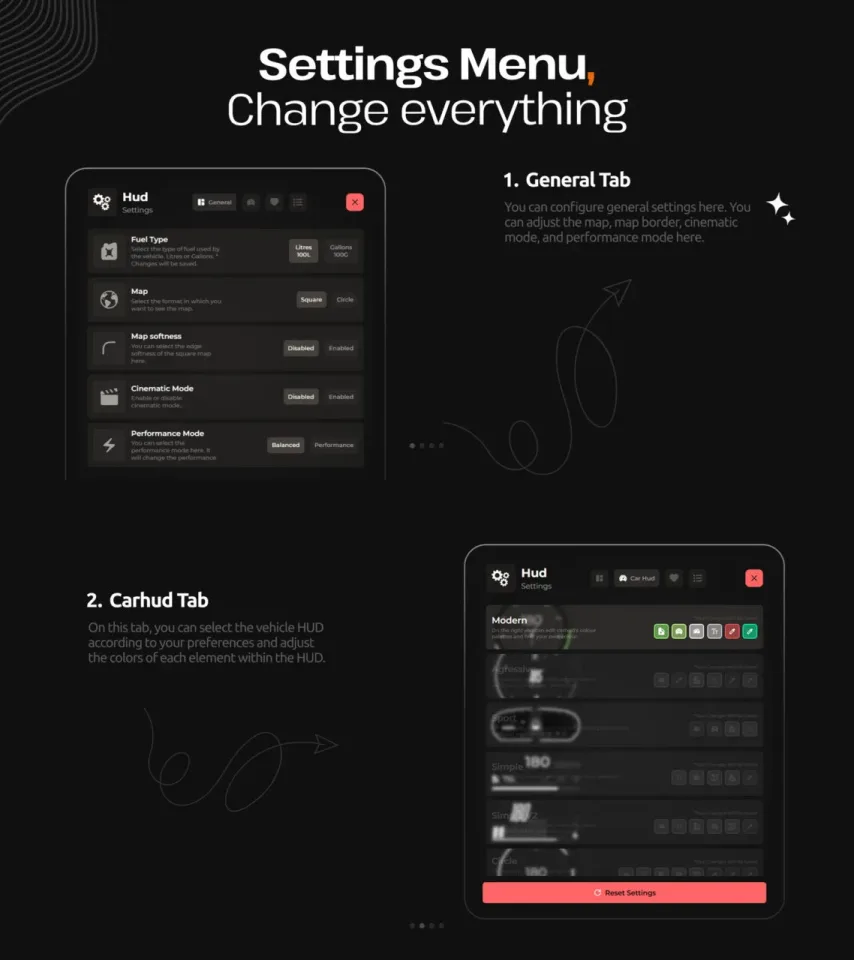
In-Depth Settings Menu
- General tab: configure minimap style, map border, cinematic mode, and performance mode.
- Car HUD tab: select your preferred vehicle HUD style and fine-tune the color of every element inside it.
- Reset: one click restores default settings at any time.
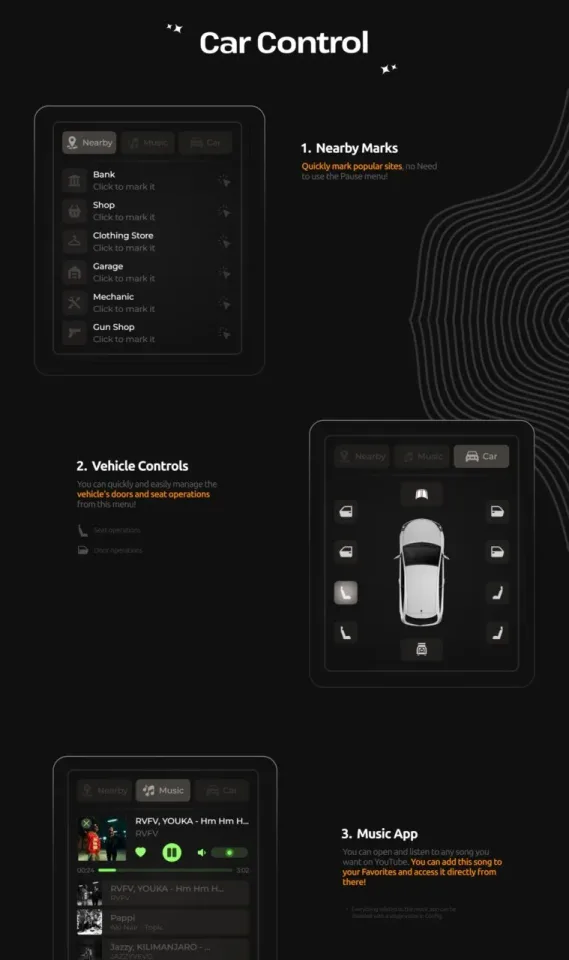
Built-In Car Control Menu
- Nearby marks: pin banks, shops, clothing stores, garages, mechanics, and gun shops on your map without opening the pause menu.
- Vehicle controls: manage doors and seat positions from a clean in-vehicle menu.
- Music player: stream music via YouTube directly in-game and save songs to your favorites for quick access.
Specifications
Add this line to your server.cfg once the download is uploaded to resources/ (replace the folder name if yours differs):
ensure wais-hud-v6-customizable
Frequently asked
How is WAIS HUD V6 with Car Control Menu delivered?
Instantly by email after checkout - a download link lands in your inbox the moment payment clears. No manual approval, no waiting on a ticket.
Is it compatible with esx, qbcore, qbox?
WAIS HUD V6 with Car Control Menu is built for esx, qbcore, qbox. Check the specifications below for the exact dependency list.
Do I get future updates?
Yes. Updates are included at no extra cost. New versions appear in the same download area you were originally emailed.
Can I customize the config?
Most behaviour is exposed as config options inside the resource - prices, permissions, locations and pacing can be tuned without touching the core files.
Customer reviews
Write a review
Reviews are moderated before appearing. Purchased the product? Your review gets a VERIFIED badge automatically.