What's included
Overview
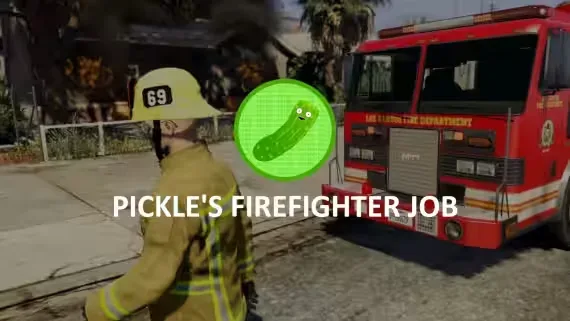
Advanced Firefighter Job
A firefighter job built around fires your whole department fights together. When a blaze starts, the crew responds, extinguishes it as a team, and splits the rewards based on how much damage each player did to the fire.
Features
- Team extinguishing: rewards split by damage done to the fire
- Unique and reliable fire system with XP support
- Custom fire types: create your own through the config
- Random fire scenarios, with more addable in the config
- Portable hose system: use and refill with the "watertank" item
- Fire extinguisher and firetruck extinguishing support
- Firefighter tools: vehicle sawing, dragging players out of vehicles, and carrying players
- Player-started fires: explosions, weapon fire and gas tanks can ignite blazes (car explosions are excluded due to FiveM limitations)
- Multiple department support with store, vehicles, duty and boss menu (uses esx_society / qb-management)
- Dispatch supportable, using Config.Alerts to send the event
- Third-eye and keypress interaction both supported
- Exports for fire targeting (useful if you prefer another hose system) and for use in your own scripts
- And more
Requirements
- ESX (1.1+) or QBCore, or code your own bridge for your framework. The bridge is fully accessible.
- ox_lib (required, works anywhere)
Optional Metadata Support
Not required to use the script, but it lets you generate items with metadata:
- QBCore
- Ox Inventory
- ESX, only if your inventory provider allows metadata to be set through "xPlayer.addInventoryItem"
Installation
- Rename the folder to "pickle_firefighterjob".
- Open the "_INSTALL" folder and install the files for the Items and Jobs.
- Change the outfits in the config to match your server's clothing settings.
- Restart the server.
Specifications
Add this line to your server.cfg once the download is uploaded to resources/ (replace the folder name if yours differs):
ensure firefighter-job-dynamic-fires
Frequently asked
How is Firefighter Job with Dynamic Fire System delivered?
Instantly by email after checkout - a download link lands in your inbox the moment payment clears. No manual approval, no waiting on a ticket.
Is it compatible with esx, qbcore, qbox?
Firefighter Job with Dynamic Fire System is built for esx, qbcore, qbox. Check the specifications below for the exact dependency list.
Do I get future updates?
Yes. Updates are included at no extra cost. New versions appear in the same download area you were originally emailed.
Can I customize the config?
Most behaviour is exposed as config options inside the resource - prices, permissions, locations and pacing can be tuned without touching the core files.